

Download PDF to Word + – Fast PDF to Word Converter, Free Trial, Secure
Overview
PDF to Word +, developed by Lighten Software, is a dedicated desktop utility that transforms PDF documents into fully editable Microsoft Word files. In today’s mixed‑format work environment, the ability to convert a PDF quickly and accurately can be the difference between a smooth workflow and a bottleneck. Whether you need to repurpose a contract, edit a research paper, or extract tables for a spreadsheet, PDF to Word + offers a reliable bridge between the fixed layout of PDFs and the flexible editing power of Word.
The application stands out for its speed: even multi‑hundred‑page PDFs are processed in a matter of minutes, which is essential for professionals handling large batches of reports or legal documents. While the tool does not incorporate optical character recognition (OCR) for scanned images, it excels with native PDFs, preserving most formatting elements such as headings, bullet points, tables, and images. Users can choose from DOCX, DOC, or plain TXT output, giving them the flexibility to match the target workflow.
A free trial is available, allowing you to test the conversion quality before committing to the full version. Security is another priority—files are processed locally on your computer, meaning no sensitive data is uploaded to the cloud, a crucial feature for businesses with strict confidentiality policies. Overall, PDF to Word + provides a fast, secure, and user‑friendly solution for everyday PDF‑to‑Word conversion needs, making it a valuable addition to any productivity toolkit.
Key Features & Benefits
- Ultra‑fast conversion engine – hundreds of pages in minutes.
- Supports DOCX, DOC, and TXT output formats.
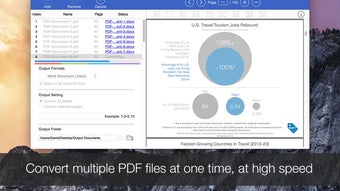
- Batch conversion capability for handling multiple PDFs at once.
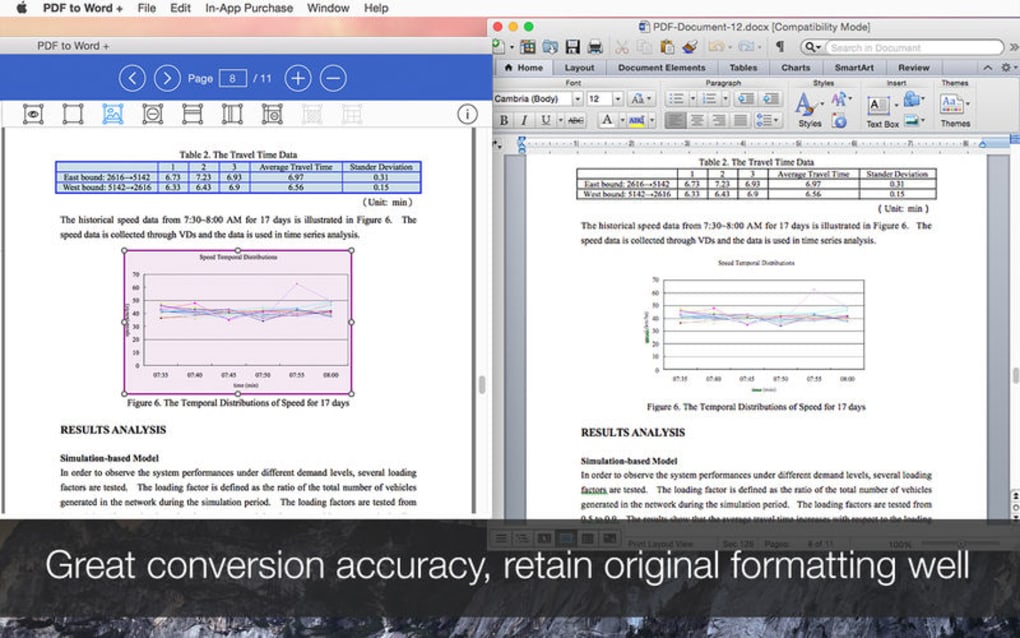
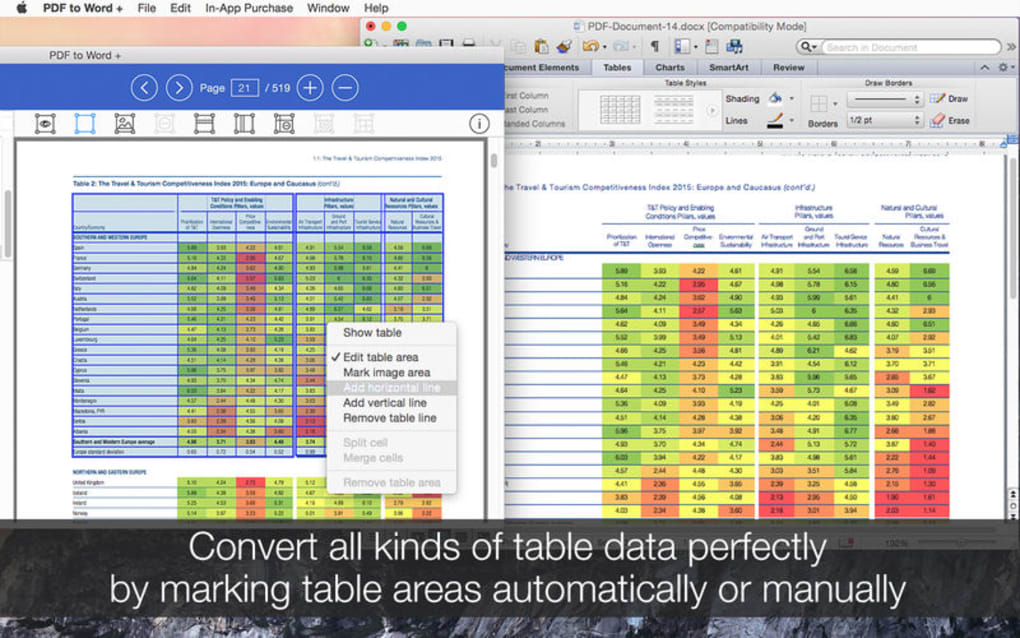
- Layout preservation – retains fonts, tables, images, and headings.
- Simple drag‑and‑drop interface for quick file selection.
- Local processing – no cloud upload, ensuring data privacy.
- Free trial version with full feature access.
- Automatic updates for continued compatibility with the latest PDF standards.
Why These Features Matter
Speed is a decisive factor when dealing with large documents, and PDF to Word + delivers a conversion rate that rivals premium competitors while remaining affordable. The ability to output both DOCX and legacy DOC formats means users on older versions of Microsoft Word are not left behind, and the TXT option is perfect for developers who need raw text for scripting or data extraction. Batch conversion saves hours that would otherwise be spent opening each file individually, making it ideal for legal firms, academic departments, or any organization that processes high volumes of PDFs daily. Because the conversion happens entirely on the user’s machine, sensitive corporate contracts or personal records never leave the desktop, satisfying GDPR and other compliance requirements. Finally, the intuitive drag‑and‑drop workflow reduces the learning curve: even users who are not tech‑savvy can start converting documents within seconds of launching the program.
Pros
- Lightning‑fast conversion even for large PDFs.
- High fidelity layout retention for most native PDFs.
- Batch processing saves time on bulk jobs.
- Local processing guarantees privacy.
- Free trial lets you evaluate before purchase.
Cons
- No built‑in OCR – scanned PDFs are converted as images.
- Limited to Windows operating system (no native Mac, Android, or iOS version).
- Advanced formatting (e.g., complex multi‑column layouts) may need manual tweaking after conversion.
Installation, Usage & System Compatibility
Installing PDF to Word + is straightforward. After downloading the installer from the official Lighten Software website, double‑click the .exe file and follow the on‑screen prompts. The wizard offers a typical installation path (C:\Program Files\PDFtoWordPlus) but also allows custom folder selection for users who prefer a different location. Once installed, launch the application from the Start menu or desktop shortcut. The first run may trigger a brief license verification if you have purchased a license key; the free trial bypasses this step and provides full functionality for 14 days.
Using the software is equally simple. Drag one or more PDF files onto the main window, or click the “Add Files” button to browse your folders. After selecting the desired output format (DOCX, DOC, or TXT), choose a destination folder for the converted files.
For batch jobs, you can enable the “Process all files in folder” option, which recursively scans subfolders and converts every PDF it finds. Clicking “Convert” launches the engine, and a progress bar shows real‑time status. Once conversion finishes, a summary window lists any files that required special handling, such as those with complex tables or embedded fonts.
PDF to Word + is currently available only for Windows 10, Windows 11, and Windows 8.1 (64‑bit). The software requires .NET Framework 4.7.2 or later, which is included in modern Windows installations. While there is no native macOS, Android, or iOS version, Windows users can run the application on a virtual machine or through compatibility layers if needed. Minimum system requirements include a 1 GHz processor, 2 GB RAM, and at least 150 MB of free disk space for the program itself; additional space is needed for the output files, especially when converting large PDFs to DOCX format.
After conversion, open the resulting Word document to verify formatting. In most cases, headings, bullet points, and images appear exactly as they did in the original PDF. For documents that contain scanned pages, you will see the page content as an image; to edit that text you would need a separate OCR tool. Lighten Software recommends using their companion OCR product if you frequently work with scanned PDFs. Regular updates are delivered automatically when the “Check for updates” option is enabled, ensuring compatibility with the latest PDF specifications and Word versions.
FAQ & Conclusion
Can PDF to Word + handle encrypted or password‑protected PDFs?
Yes. When you add a protected PDF, the program prompts you to enter the password before conversion. The password is never stored; it is used only for the current session, keeping your documents secure.
Is there a limit to the number of files I can convert in a single batch?
There is no hard‑coded limit. The practical limit is based on your system’s memory and CPU resources. On a typical modern PC, converting 100‑200 PDFs in one batch works without issues.
What happens to the original PDF after conversion?
The original PDF remains untouched in its source folder. PDF to Word + creates a new Word file in the destination folder you specify, leaving the source file unchanged.
Do I need an internet connection to use PDF to Word +?
No. The software runs completely offline. An internet connection is only required for the initial download, license activation, and optional update checks.
Can I convert PDFs that contain complex multi‑column layouts?
PDF to Word + does a solid job with most layouts, but extremely intricate multi‑column designs may need minor manual adjustments after conversion. The program strives to keep columns separate, but perfect fidelity is not guaranteed for every edge case.
Conclusion – Should You Download PDF to Word +?
If you regularly need to turn native PDFs into editable Word documents, PDF to Word + offers a compelling blend of speed, ease of use, and privacy. Its batch conversion capability and high‑fidelity layout retention address the core pain points of most office workers, while the free trial lets you confirm that the output meets your quality standards before you invest. The main limitation—lack of OCR—means you’ll need a separate tool for scanned PDFs, but for the vast majority of text‑based PDFs the converter works flawlessly. Considering its modest system requirements and the fact that all processing stays on your PC, it’s a secure choice for individuals, small businesses, and larger enterprises alike. Download PDF to Word + today, try the trial version, and experience how quickly a stubborn PDF can become a fully editable Word file.







